
Key Takeaways
01
Android app ROI should be measured through incremental revenue, retention, efficiency or cost avoidance—not downloads alone.
02
Platform strategy should follow the audience and workflow; Android is not automatically the right choice for every product.
03
Native Android development is useful when deep platform capabilities, performance or hardware access matter. Cross-platform development can be effective when shared Android and iOS delivery is the priority.
04
A scalable Android app needs clear boundaries between UI, business logic, data access, APIs and external integrations.
05
Modern Android development is Kotlin-first, with Jetpack Compose as the current toolkit for building native UI. Android's official Kotlin guidance and Jetpack Compose documentation reflect this direction.
06
ROI should include build, launch, infrastructure, security, maintenance, OS upgrades and future change—not just initial development cost.
07
Google Play submission requirements are an ongoing product concern. From August 31, 2026, new apps and updates generally need to target Android 16/API 36 or higher.
An Android app can be a revenue channel, a customer experience layer, a field-service tool, or the operating interface for an entire business process.
It can also become an expensive second website that duplicates what users can already do in a browser.
The difference is rarely decided by the number of screens, the technology stack, or how quickly the first build ships. It is decided by the business problem the app is designed to solve.
For businesses targeting the US, UK and Europe, Android remains strategically important, although its share varies significantly by market. StatCounter's September 2026 figures report Android at 46.39% of mobile operating-system share in the US and 53.11% in the UK; Europe is higher still in StatCounter's regional mobile/tablet data. That makes Android relevant for many products, but not automatically the right platform for every audience or workflow.
The stronger starting question is simple:
What changes for the customer or the business because this app exists?
That change could be higher repeat purchases, faster bookings, lower support costs, improved field productivity, better retention, or access to device capabilities that a browser cannot provide as effectively.
At Designoweb, we approach Android app development as product engineering—not simply mobile coding. That means connecting product strategy, UX, architecture, backend systems, analytics, security and post-launch optimisation before the app becomes expensive to change.
In this guide, we will explain how Android app development services can create measurable business value, how to choose native or cross-platform development, what a scalable Android architecture looks like, how the development process works, what Android app development costs, how to calculate ROI, and how to choose the right development partner.
Planning an Android app for your business?
Bring your product idea, existing Android app, or business workflow. Designoweb can help you define the right platform strategy, architecture, development roadmap, and ROI model before full engineering begins.
→ Discuss Your Android App with Designoweb
01
1. What Android App ROI Really Means
Many app business cases still rely on a simple equation:
-
1
Development cost
-
2
downloads
-
3
revenue
That is not enough.
Downloads tell you that people installed the app. They do not tell you whether the app changed customer behaviour, created incremental revenue, or reduced the cost of delivering a service.
A better definition is:
Android app ROI = (incremental value created − total investment) ÷ total investment × 100
The important word is incremental.
Suppose a retailer generates $2 million in annual digital revenue before launching an Android app and $2.3 million afterwards. It is tempting to attribute the full $300,000 increase to the app. But some purchases may simply have moved from the website to the app, while marketing, seasonality and other factors may have contributed.
A stronger measurement model uses cohorts, channel comparisons, experiments, customer research and operational baselines to estimate what the app actually changed.
The four business value buckets
| Value area | What an Android app can influence | Example KPI |
|---|---|---|
| Revenue | Transactions, subscriptions, upsells, repeat purchases | Incremental contribution per active user |
| Retention | Repeat use, purchase frequency, customer loyalty | 90-day retention |
| Efficiency | Faster work, fewer manual steps, lower support load | Cost per transaction |
| Risk & cost avoidance | Fewer errors, fewer service incidents, better control | Error or incident rate |
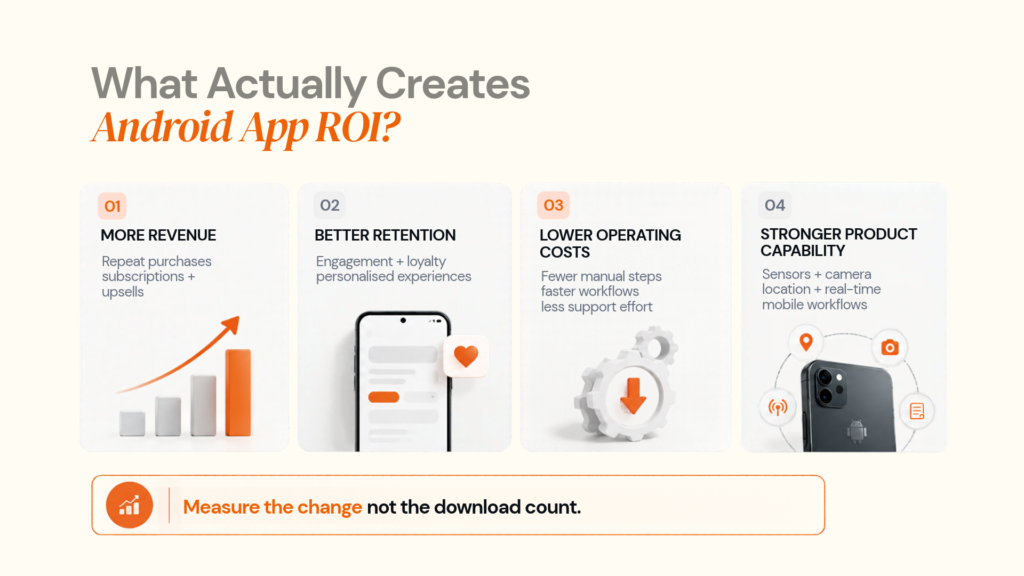
A B2C commerce app might be measured by repeat purchase frequency and contribution margin. An enterprise field-service app may create little direct revenue but save thousands of staff hours each year.
Both can produce strong Android app ROI.
02
2. Where Android Apps Create Business Value
The strongest Android applications are built around behaviours that matter to the business.
Customer engagement and retention
Apps become commercially useful when customers have a reason to return. That could be purchasing, bookings, subscriptions, loyalty, account management, real-time status updates, messaging or personalised recommendations.
The metric should be connected to the business outcome:
Active users → repeat behaviour → conversion → revenue or retention value
A notification is not a business outcome. A reminder that prevents a missed appointment can be.
Operational efficiency
This is often the most underestimated business case for enterprise Android app development.
Imagine a field technician currently receives a job by phone, writes details on paper, completes the work, returns to the office and manually enters the information. A well-designed mobile workflow can move those steps into one application.
The resulting value can come from:
- fewer manual entries
- fewer transcription errors
- faster job completion
- quicker invoicing
- better field visibility
- fewer status calls
The ROI can then be expressed in hours saved, cost per job, faster cash collection and improved service capacity.
Monetisation
Android apps can support transactions, subscriptions, commissions, advertising, lead generation or operational savings. For digital goods and services distributed through Google Play, product teams should also account for Google Play's Payments policy and its applicable exceptions.
When mobile itself creates the advantage
An Android app is often justified when the device is part of the workflow: camera capture, Bluetooth, GPS, wearables, scanning, background work or Android Auto. In these cases, the mobile experience can do more than a browser while also collecting useful product events for optimisation.
03
3. Native vs Cross-Platform Android Development
The native-versus-cross-platform decision should be treated as a product economics question, not a framework argument.
Native Android development
Native Android app development uses the Android platform directly. Google recommends starting new Android development with Kotlin, while Jetpack Compose is the modern toolkit for building Android UI.
Native is often a strong fit when the product needs:
- deep Android hardware integration
- advanced camera or sensor capabilities
- wearables or Android Auto
- demanding performance
- platform-specific UX
- faster adoption of Android-specific capabilities
- complex background processing
Designoweb provides native mobile app development alongside broader mobile engineering approaches.
Cross-platform development
Cross-platform development can be practical when the business needs Android and iOS applications with substantial code sharing.
Typical candidates include:
- ecommerce applications
- booking products
- marketplaces
- SaaS companion apps
- customer account platforms
- standard transaction workflows
- internal dashboards
Designoweb's mobile solutions include native and cross-platform approaches, allowing the architecture to follow the product requirements rather than forcing every product into one framework.
A practical decision matrix
| Requirement | Native Android | Cross-platform |
|---|---|---|
| Android-only product | Strong fit | Possible |
| Deep hardware access | Strong fit | Depends on native modules |
| Highly platform-specific UX | Strong fit | Moderate |
| Shared Android + iOS product | More duplication | Strong fit |
| Standard business workflows | Strong fit | Strong fit |
| Rapid multi-platform MVP | Moderate | Strong fit |
| Long-term Android optimisation | Strong fit | Requires careful architecture |
The better sequence is:
Business requirement → user behaviour → device capability → performance → platform strategy → framework
Not the other way around.
04
4. Android App Architecture That Supports Growth
Architecture is where long-term development cost is either controlled or created.
Google's official Android architecture guidance recommends clear UI and data layers, with an optional domain layer, repositories, unidirectional data flow and modular boundaries that can improve maintainability, testing and scalability.
A practical structure looks like:
Android App
↓
UI / Presentation
↓
Domain / Business Logic
↓
Data Layer / Repositories
↓
API / Backend Services
↓
Databases + External Systems
↓
Analytics / Monitoring
API and integration layer
A growing Android application should generally avoid becoming a direct client of every backend system.
A stronger pattern is:
Android app → API layer → services/integrations → systems of record
This creates one place to control authentication, authorisation, validation, rate limiting, audit logging and integration logic.
Offline and unreliable connectivity
For field service, logistics and other mobile-first workflows, connectivity should be treated as an unreliable dependency.
The application may need:
- local caching
- queued actions
- retry logic
- conflict resolution
- background synchronisation
Android's official architecture guidance also recommends persisting relevant data locally so users can continue to work when connectivity is poor.
05
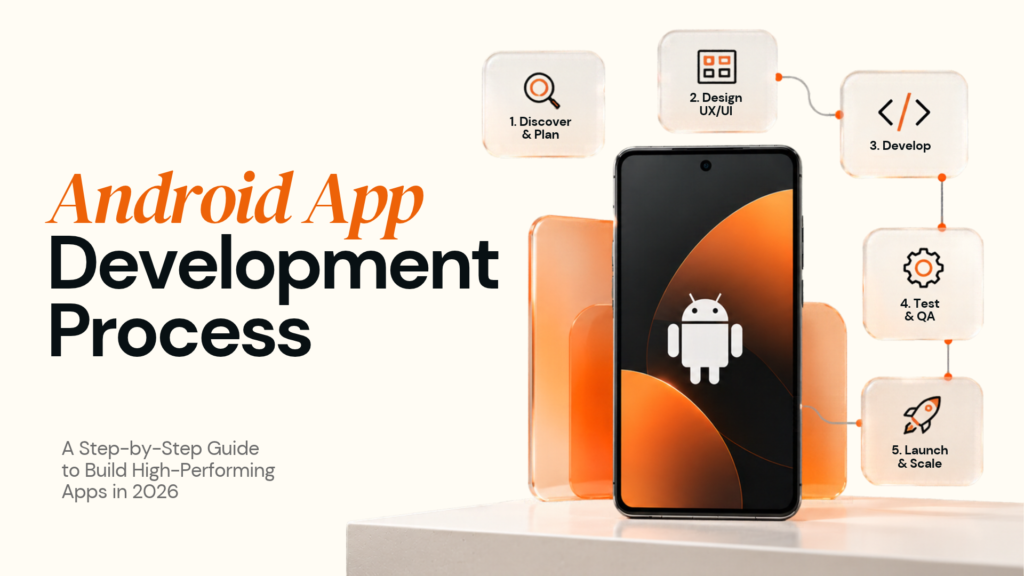
5. The Android App Development Process
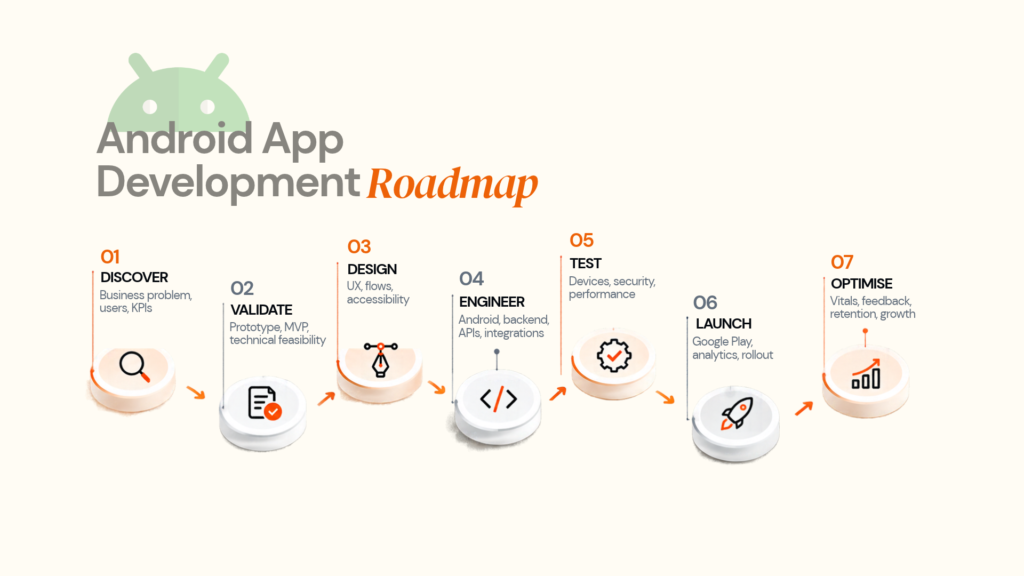
A strong Android app development process reduces uncertainty before increasing code volume.
Stage 1–3: Discover, scope and design
Define users, business problem, workflow, KPIs, device needs and constraints. Then validate the core flow with a focused MVP and prototype before full engineering. Designoweb's prototyping services, MVP development services and mobile app design services can support these stages.
Stage 4: Architecture and engineering
Define the application architecture, API contracts, authentication, data model, integrations, analytics events, environments and deployment pipeline.
For new native Android products, Kotlin and modern Android architecture provide the technical foundation. Google describes Android development as Kotlin-first in its official Kotlin guidance.
Stage 5: QA and device validation
Test the core workflows across representative devices and OS versions, covering unit, integration, UI, API, performance, security and network scenarios. The objective is an evidence-based device matrix, not every Android device on the market.
Stage 6: Google Play release
Release planning should include the app bundle, listing, privacy disclosures, permissions, testing tracks, Data safety, crash monitoring and rollout strategy.
As of August 31, 2026, new Android apps and updates submitted to Google Play generally must target Android 16/API 36 or higher. Existing apps generally need Android 15/API 35 or higher to remain available to new users on newer Android versions, subject to Google's published exceptions and extension rules.
Stage 7: Post-launch optimisation
Launch is the beginning of the product measurement cycle.
Monitor:
- crashes
- ANRs
- startup performance
- retention
- conversion
- feature adoption
- reviews
- support tickets
- device-specific failures
Android Vitals provides production-quality signals through Google Play, including user-perceived crash and ANR metrics and other performance indicators.
06
6. How to Calculate Android App Development ROI
Start with the baseline.
Without a baseline, the business case becomes a collection of assumptions.
Step 1: Measure the current state
Depending on the product, capture:
- conversion rate
- repeat purchase rate
- customer support contacts
- handling time
- customer acquisition cost
- transaction value
- churn
- employee processing time
- error rate
Step 2: Define the incremental change
Examples might include:
- higher repeat purchase frequency
- lower support volume
- fewer minutes per field-service task
- more completed bookings
- lower manual data entry
Focus on the outcomes that can actually be measured.
Step 3: Calculate annual value
For an internal field-service app, value could come from fewer minutes per job, lower error rates, faster invoicing and more productive field capacity. Quantify each benefit from a baseline rather than treating the app's entire revenue as incremental.
Step 4: Calculate total investment
Include:
- discovery
- strategy
- UX/UI
- Android engineering
- backend engineering
- QA
- DevOps
- security
- third-party services
- analytics
- launch
- maintenance
- OS compatibility
Step 5: Calculate payback
Payback period = total investment ÷ average monthly incremental value
This gives leadership teams another useful decision metric alongside ROI.
The goal is to answer one commercial question:
What business behaviour are we paying to change?
07
7. Android App Development Cost and Total Cost of Ownership
There is no responsible single price for Android app development. Two apps with a similar number of screens can have very different budgets because backend, integrations, hardware, security and operational requirements differ.
What drives Android app development cost?
| Cost driver | Lower complexity | Higher complexity |
|---|---|---|
| Product | Few workflows | Multiple roles, complex business rules |
| UX | Standard screens | Custom interactions, accessibility and advanced motion |
| Backend | Simple APIs | Real-time, distributed services, complex workflows |
| Integrations | Few third-party systems | ERP, CRM, payments, identity, logistics |
| Device access | Basic phone features | Sensors, camera, Bluetooth, wearables, automotive |
| Security | Standard controls | Sensitive or regulated data |
| QA | Small device matrix | Broad device/OS coverage |
| Scale | Limited traffic | High concurrency and data volume |
Build cost is only the beginning
Use a three-layer budget:
Build
Strategy, product design, engineering, QA and deployment.
Launch
Store preparation, analytics, training, rollout and launch support.
Run
Infrastructure, monitoring, security updates, bug fixes, OS compatibility, third-party services and new product features.
The third layer is often underestimated.
An app launched in 2026 still needs to work in 2027 and beyond. That means Android app maintenance and modernisation are part of the original business case, not optional extras.
Total Cost of Ownership
A practical TCO model is:
TCO = Build + Launch + Infrastructure + Support + Maintenance + Security + Compliance + Planned Enhancements
Compare vendors on scope, lifecycle ownership and the ability to support future OS and product changes—not hourly rate alone.
08
8. Security, Privacy and Google Play Readiness
Security is part of the product economics.
A security incident can create remediation costs, service disruption, customer churn and long-term trust issues.
Start with data minimisation
Ask:
Do we actually need this data?
Only then decide how it should be stored, processed and transmitted.
For apps serving European users, GDPR principles such as purpose limitation and data minimisation should influence product design as well as legal documentation.
Map the full data path
Think beyond the Android client:
Device → API → processing → database → third-party services → analytics → deletion
For each important data type, document why it is collected, where it is stored, who can access it, how long it is retained, which vendors receive it and how it can be deleted.
Google Play Data safety
Google Play requires developers to complete and maintain an accurate Data safety section describing applicable user-data collection, use and sharing, including relevant SDK behaviour.
That makes third-party SDK review part of mobile application security.
Secure AI integrations
For Android apps using AI APIs or external services, a stronger pattern is usually:
Android app → secure backend → AI service → controlled response
The backend can manage authentication, sensitive-data filtering, access control, rate limits, model selection, logging and fallback behaviour.
Google also clarified in 2026 that its user-data requirements apply to third-party AI integrations, with developers remaining responsible for compliance. See the July 2026 policy update.
Current target API requirements
Google Play's current target API requirements require new apps and app updates to target Android 16/API 36 or higher from August 31, 2026, with different requirements for Wear OS, Android TV, Android Automotive OS and Android XR.
This should be treated as a release requirement, not a final administrative task.
09
9. How to Choose an Android App Development Company
The best vendor question is not simply:
“How much will you charge?”
A better question is:
“How will you reduce the technical and business risk of this product?”
What to ask a vendor for
Ask for
- Similar product examples
- Architecture diagram
- Device/OS test matrix
- Analytics plan
- Integration architecture
- Security approach
- Release process
- Maintenance model
- Handover plan
- Actual team allocation
What you are testing
- Relevant delivery experience
- Technical thinking
- Android QA maturity
- ROI measurement
- Backend capability
- Risk management
- Production readiness
- Long-term ownership
- Vendor dependency risk
- Who will really build the product
For clearly defined scope, fixed-cost delivery can work. When requirements are evolving, a dedicated product team or staff-augmentation model can provide more flexibility. Designoweb also provides hire app developers and dedicated team options.
Evaluating Android development partners?
Ask us to review your current product scope, architecture or roadmap and identify the engineering decisions that will affect cost and scale.
→ Start a Conversation with Designoweb
10
10. When an Android App May Not Be the Right Investment
A strong product strategy includes reasons not to build.
The experience is mostly informational
If users visit once, read information and leave, a well-designed website may be enough.
Mobile adds little unique value
If every important task can be completed equally well in a browser, the app needs a stronger reason to exist.
The audience rarely returns
An app that customers need once every few years may not justify installation friction and long-term maintenance.
The backend is not ready
A polished Android interface cannot fix unreliable APIs, fragmented business logic, poor authentication or slow backend services.
There is no owner after launch
An app without a product owner, analytics process and maintenance budget is being treated as a project rather than a product.
The platform assumption is wrong
Android share varies by market. Your platform strategy should reflect your actual audience rather than a global average.
The goal is not to build an app because competitors have one.
The goal is to build a mobile product when mobile creates a defensible customer or operational advantage.
11
11. Designoweb's Android App Development Approach
At Designoweb, we treat Android app development as part of a broader product-engineering lifecycle.
That means the work can span:
Product strategy → MVP → UX/UI → Android engineering → backend/API integration → QA → deployment → analytics → continuous improvement
Relevant capabilities include Android app development, native mobile app development, mobile solutions, mobile app design, MVP development and product development services.
RoadtripTribes: mobility around the right workflow
Designoweb's RoadtripTribes case study describes a Flutter-based mobile product for group road trips and navigation, with live tracking, centralised navigation, walkie-talkie communication and Android Auto support, alongside web functionality for pre-trip planning.
The mobile app owns the tasks that benefit from mobility: real-time navigation and coordination, while planning can happen on the web.
Pro Bike: when sensors influence architecture
Designoweb's Pro Bike case study describes a bike-riding application using sensor-driven functionality for speed and turn data.
This illustrates why hardware access can change the architecture decision. When the product's core value depends on sensors, background activity or device capabilities, Android engineering is part of the product strategy rather than just the delivery layer.
What Designoweb focuses on
We build around the business outcome first, then engineer the right mobile and backend system around it.
That includes:
- defining the core user workflow
- choosing native or cross-platform architecture based on requirements
- designing APIs and integration boundaries
- planning for performance, security and device variability
- instrumenting analytics around business KPIs
- preparing for Google Play and post-launch operations
Build an Android product that has a business job to do.
Share your idea, existing application or operational workflow. Designoweb can help turn it into a practical Android product roadmap.
→ Discuss Your Android App
Final Takeaway
The strongest Android applications are the ones where mobile changes something meaningful for the customer or the business.
That could be a faster transaction, a better retention loop, a more productive field workforce, a sensor-enabled workflow, a new monetisation model or access to a capability that cannot be delivered as effectively through a browser.
Building that product requires more than Android coding.
It requires the right product scope, platform decision, architecture, backend integration, testing strategy, analytics, security model and post-launch operating plan.
The better starting point is: what measurable outcome should this app create, and what is the simplest architecture that can deliver it reliably?
At Designoweb, we help businesses turn that question into a production-ready mobile product across strategy, UX, Android engineering, backend systems, integrations and ongoing optimisation.
Author

Frequently Asked Questions
01
Are Android apps still relevant in 2026?
Yes, but the commercial importance varies by market. StatCounter's September 2026 figures show Android at 46.39% of mobile OS share in the US and 53.11% in the UK, with Android also holding a substantially higher share in Europe. The right decision still depends on the actual audience and product behaviour.
02
How much does Android app development cost?
There is no reliable single price. Cost depends on product complexity, UX, backend architecture, integrations, device capabilities, security, testing, scale and ongoing maintenance. A proper estimate should separate build cost from the cost of running and evolving the product.
03
When should a business not build an Android app?
Avoid building an app simply because competitors have one. If users rarely return, mobile provides no unique advantage, the experience is mostly informational, or the backend is not ready, a responsive web product or another channel may make better business sense.